
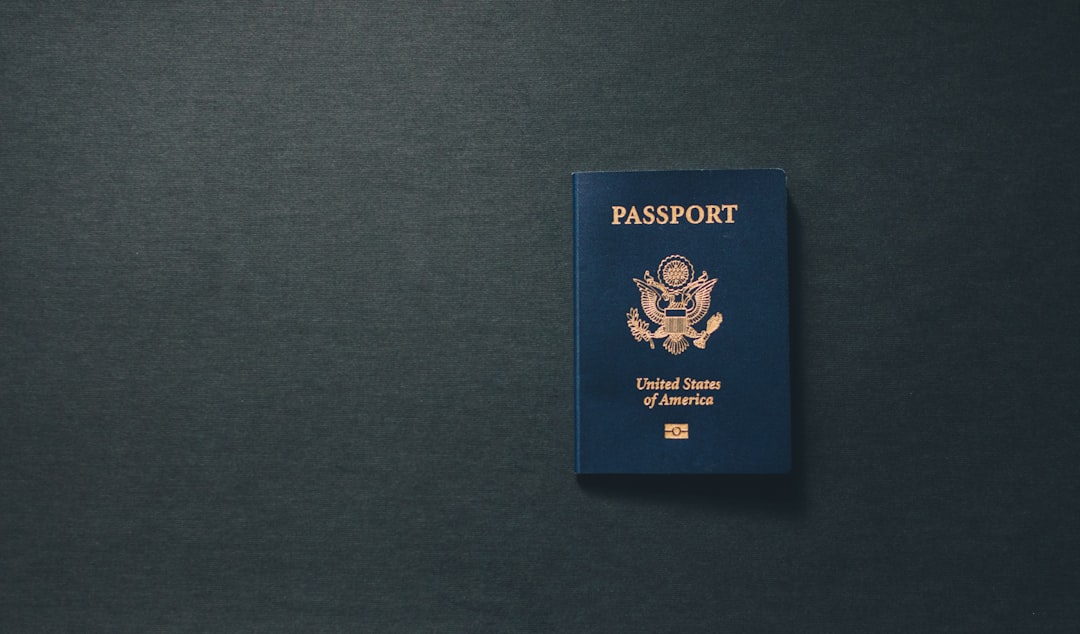
A visa photo size chart for Asia is a planning tool, not a universal rulebook. Common specifications include China at 33×48 mm, Japan at 45×35 mm, South Korea at 35×45 mm, and India often at 2×2 inches (51×51 mm). Requirements can change by visa type, consulate, application portal, and nationality. Confirm the destination mission’s current size, background, head-position, and digital-file rules before printing.
A visa photo size chart for Asia helps you compare country-specific dimensions before you book a photo session or trim a print. The important distinction is that Asian country visa photo dimensions are not interchangeable: China commonly requests 33×48 mm, Japan 45×35 mm, South Korea 35×45 mm, and India often uses a square 2×2-inch format. Treat every measurement as a starting point, then verify the mission handling your application.
I have inspected thousands of passport and visa photographs under the kind of unforgiving counter lighting that makes small errors obvious. A photo can be the right size and still fail because the background is gray, the head is too small, the image is over-retouched, or the digital file does not meet portal limits. The chart below separates common formats from rules that must be checked at the consulate, embassy, or authorized visa center.
Asian Visa Photo Size Chart by Country
A country chart matters because “passport photo” is not a single international format. The United States commonly uses a square image, while several Asian applications use rectangular photographs measured in millimeters. A portal may also request a digital crop that differs from the printed photo submitted at a visa center. These are small distinctions until a clerk has to reject a perfectly respectable photograph for being 2 mm short.
Use the following comparison as a practical reference for frequently requested formats. It is not a substitute for the current instructions of the responsible mission.
| Destination | Common photo dimensions | Practical note |
|---|---|---|
| China | 33×48 mm | Usually a plain, pure white background; digital specifications may also apply. |
| Japan | 45×35 mm | Portrait orientation; confirm the mission’s submission and recency rules. |
| South Korea | 35×45 mm | Plain, light background and neutral, front-facing composition are typical. |
| India | 2×2 in (about 51×51 mm) | Square format is common; digital upload instructions may be separate. |
| Singapore | 35×45 mm | Check whether the application is electronic and whether a printed copy is requested. |
| Thailand | Often 4×6 cm | Confirm the visa office or consulate because procedures can vary. |
These are common working dimensions, not promises of acceptance. Visa category, place of application, nationality, and application channel can change the requirement. A mission may also specify a recent-photo period, minimum head height, file size, or exact background color. That is why a reliable China visa photo requirements reference is useful for country-specific review, but the official mission remains the final authority.
How to Read Asian Country Visa Photo Dimensions
Dimensions are only one part of the specification
Measure the finished image, not merely the paper around it. A 33×48 mm China photo should have the image itself at those dimensions; a white border does not rescue an undersized crop. For India, a square 2×2-inch image means equal width and height. Do not place a rectangular portrait inside a square canvas unless the application expressly permits that layout.
Composition is equally important. Sit or stand squarely toward the camera with your head upright, eyes open, and a neutral expression. Keep both sides of the face visible. Hair should not cover the eyes, and eyeglass glare must not obscure them. Religious head coverings may be accepted in many systems when the face remains visible, but decorative hats and casual caps are generally not suitable.
Background, lighting, and clothing
Use an evenly lit, solid background. For China, “pure white” should be treated literally: a cream wall, visible texture, gray gradient, or household shadow is a poor substitute. Avoid flash hotspots on the forehead and deep shadows under the chin. A soft, frontal light source and a little distance from the wall usually produce a cleaner result than direct flash at arm’s length.
Wear ordinary clothing that contrasts gently with the background. White clothing against a white background can erase the shoulders, while very dark clothing may create a harsh edge. Keep the image natural. Skin smoothing, reshaped facial features, artificial eye enlargement, and aggressive sharpening turn a document photo into a tiny identity dispute. For broader preparation, the biometric photo guidelines provide a useful composition checklist.
Step-by-Step: Preparing the Correct Visa Photo
Step 1: Identify the correct authority
Start with the embassy, consulate, or authorized visa application center where you will submit the application. A travel agent’s general chart can be helpful, but it may combine tourist, student, work, and transit rules. Confirm the visa type, application location, and whether the process is online, in person, or split between both.
Step 2: Capture the image correctly
Use a camera at eye level and a stable distance. Leave enough space around the head for accurate cropping, but do not submit a loose portrait when the instructions require a tightly framed visa image. Check focus at full size. A face that looks sharp on a phone screen can print softly, particularly after a messaging app compresses the file.
Step 3: Crop, export, and print
Set the crop to the required aspect ratio before entering millimeters or inches. Export a high-quality file in the requested format and preserve the original until the application is finished. For a printed photo, use a proper photo printer or lab with clean, continuous tones. Ordinary office paper absorbs ink and can produce a dull background; it is not a clever workaround.
Step 4: Inspect the result like a clerk
Use a ruler to check the physical dimensions. Confirm that the background is uniform, the face is centered, and no shadows, folds, fingerprints, or cutting damage appear. Check the upload file separately: pixel dimensions, file size, aspect ratio, and file extension can all matter. Applicants preparing an Indian application may also consult this Indian visa guide, while remembering that the current portal instructions control the final file.
Measure twice, submit once. That is less glamorous than travel planning, but considerably more useful at the document counter.
Common Errors in Visa Photo Dimensions by Country
The mistakes I see most often
- Reusing a photo from another country: Japan’s 45×35 mm format is not the same as China’s 33×48 mm or India’s square format.
- Trusting an online crop without checking print size: A file can display at the right ratio but print at the wrong physical dimensions.
- Using an off-white background: Shadows, wall texture, and color casts are especially noticeable where pure white is required.
- Ignoring head scale: Correct width and height do not fix a face that is too small, too large, or positioned too high.
- Submitting a retouched portrait: Remove temporary distractions only when allowed; do not alter identity features.
- Confusing application photos with passport photos: A passport renewal rule may not match a visa-center rule for the same country.
Another frequent problem is assuming that a photo specification is permanent. Missions revise forms, portals, and outsourced submission procedures. The practical cure is a final check immediately before printing and uploading. Save a copy of the mission’s current instruction page or checklist with your application notes, especially if you are applying through a third-party center.
When in doubt, compare three things independently: the physical dimensions, the visual composition, and the digital upload requirements. Passing one does not imply passing the other two. For Japan, the available Japan visa requirements article can help organize the application, but it should not replace the mission’s live checklist.
Check the mission’s current instructions before you print.
Frequently Asked Questions
What size photo is required for a China visa?
China commonly requires a 33×48 mm visa photo with a plain, pure white background. The image should show a front-facing, neutral expression, even lighting, and a properly proportioned head. Digital applications may also specify pixel dimensions and file limits, so a correctly printed photo is not automatically suitable for an online form. Confirm the exact Chinese embassy, consulate, or visa center instructions handling your application.
What is the photo size for an Indian visa?
India commonly uses a square visa photograph measuring 2×2 inches, or approximately 51×51 mm, with a white background. The applicant should face the camera directly, keep a neutral expression, and avoid shadows, tinted glasses, or heavy retouching. Some Indian visa portals request a digital square image rather than a printed photograph. Check the relevant application instructions because the upload format and printed-photo rules may differ.
What size photo do I need for a Japan visa?
Japan generally uses a 45×35 mm visa photograph, with the applicant centered and facing forward against a plain, light background. The image must be recent and clearly show the full face without distracting shadows, glare, or headwear unless permitted for religious or medical reasons. Japanese missions can apply different submission procedures, so verify whether your application requires a printed photo, a digital upload, or both.
Can I use the same visa photo for every Asian country?
A visa photo from one Asian country should not be reused automatically for another. China commonly uses 33×48 mm, Japan 45×35 mm, and South Korea 35×45 mm, while India often requires a square 2×2-inch image. Even matching dimensions do not guarantee compliance because background color, head height, file format, and age requirements may differ. Prepare the photo for the specific mission and visa category.